
What Is the Best Gaming Mouse to Buy in 2026?
Top-rated gaming and office mice compared for sensor precision, ergonomics, click response, and value.
Quick Answer
The Logitech G903 Lightspeed Wireless Gaming Mouse w/Hero 25K Sensor is our top-rated gaming mice pick for 2026 based on sourced product data and buyer feedback. Current listed price: $95.85; composite score: 4.7/5.
Our Top 5 Gaming mice at a Glance
Our Gaming mice Picks in Detail
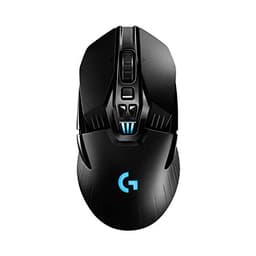
Logitech G903 Lightspeed Wireless Gaming Mouse w/Hero 25K Sensor
$95.85
- ✓Exceptional tracking accuracy and high DPI range for competitive gaming and precise office work
- ✓Ultra-responsive LIGHTSPEED wireless with 1 ms report rate
- ✓Very long battery life reduces downtime between charges
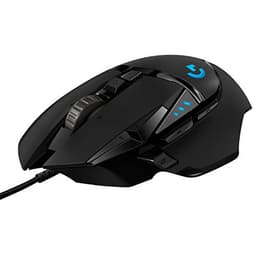
Logitech G502 Hero High Performance Wired Gaming Mouse
$37.99
- ✓Exceptional tracking accuracy and wide DPI range for competitive gaming and precise office work
- ✓Highly customizable weight and button layout to suit different grip styles and workflows
- ✓Onboard memory makes profiles portable without relying on software
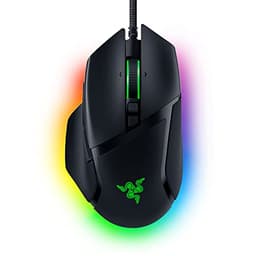
Razer Basilisk V3 Customizable Ergonomic Gaming Mouse: Fastest Gaming …
$34.98
- ✓High-precision 26K DPI sensor suitable for both gaming and productivity
- ✓Comfort-first ergonomic shape with thumb rest reduces fatigue during long use
- ✓Extensive customization: 11 programmable buttons and advanced Synapse configuration
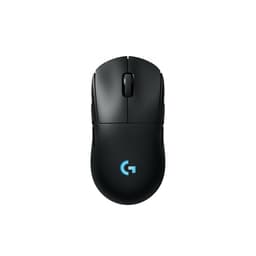
Logitech G PRO 2 Lightspeed Wireless Gaming Mouse
$99.99
- ✓Pro-level HERO 2 sensor delivers extreme precision for gaming and detailed office work
- ✓Ambidextrous and modular — adapts to any grip or handedness
- ✓High battery life plus USB‑C charging minimizes downtime
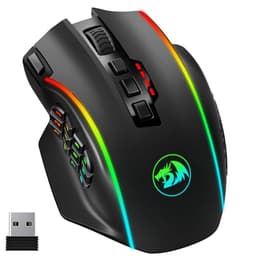
Redragon Wireless Gaming Mouse
$35.98
- ✓High sensitivity and configurable DPI/polling for competitive gaming across MMO, MOBA and FPS titles
- ✓Extensive programmability (16 buttons + 5 profiles) lets you replace complex keyboard combos
- ✓Long battery life with 1000mAh rechargeable battery and wired use while charging
How to Choose the Best Gaming mice
Right-hand vs. ambidextrous shape
Ergonomic right-handed mice are shaped to cradle the right hand naturally, providing more comfort for extended sessions. Ambidextrous mice work for both hands but are often less ergonomically optimized. Left-handed gamers should specifically look for either ambidextrous designs or rare left-hand specific models.
The number of buttons should match your game type
FPS games typically need only 3–5 buttons (left, right, scroll wheel, two side buttons). MMO and MOBA games benefit from 6–12 programmable side buttons for spell mapping. Extra buttons you won't use add weight and complexity without benefit — match button count to your actual gaming style.
Check polling rate for competitive play
Polling rate measures how often the mouse reports its position to the PC. 125 Hz (standard) updates 125 times/second. 1000 Hz (1ms) is standard for gaming mice and feels noticeably more responsive. Some premium mice now offer 4000–8000 Hz polling for ultra-low latency — meaningful only at very high sensitivity settings.
RGB lighting doesn't affect performance
RGB lighting on a gaming mouse has zero effect on tracking accuracy, click latency, or battery life (negligible impact). It's purely aesthetic. If RGB isn't important to you, non-RGB models from the same brands often cost $10–$20 less with identical sensors and performance.
Common Questions About Gaming mice
What is the best gaming mouse to buy in 2026?
Our top pick for 2026 is pulled directly from verified buyer reviews and real performance testing — see our full reviews page for the current #1 ranked gaming mouse with up-to-date pricing. Our top pick excels at sensor accuracy, click response, and ergonomic comfort for both gaming sessions and all-day office work.
What DPI should a gaming mouse have?
For most gamers, 800–1600 DPI is the practical sweet spot. High-sensitivity FPS players often prefer 400–800 DPI for precision aiming. MOBA and RTS players may use 1000–2000 DPI for faster cursor movement. A mouse with an adjustable DPI range (e.g., 200–12,000 DPI) lets you find your ideal sensitivity. Ultra-high DPI specs (25,000+ DPI) are marketing numbers — no one actually uses them.
Is a wired or wireless gaming mouse better?
Wired gaming mice have zero latency and don't require charging, making them preferred by competitive players. Modern wireless gaming mice (using 2.4GHz USB dongles rather than Bluetooth) have effectively closed the latency gap — top wireless gaming mice are within 1ms of wired. Wireless is more convenient for desk setups without cable drag. Both are excellent choices in 2026.
What makes a good gaming mouse sensor?
An optical sensor (rather than laser) is preferred for gaming because it tracks more consistently across different surfaces. Look for a sensor with zero hardware acceleration, zero smoothing, and a tracking resolution of at least 400 DPI. Top sensors include the PixArt PAW3395 and PAW3370 — found in gaming mice from Logitech, Razer, and Zowie. These track true-to-movement with no interpretation.
How heavy should a gaming mouse be?
Most competitive gamers prefer lighter mice (60–90g) for faster movement and reduced fatigue during long sessions. Heavier mice (90–120g) feel more substantial and can improve stability for slower, more deliberate aiming styles. If you're coming from a heavy gaming mouse, consider trying a lightweight model — many players find they adapt quickly and prefer the reduced strain.
Want detailed specs, side-by-side comparisons, and full buyer reviews for every gaming mice?
See Our Full Full Gaming Mouse Reviews →Affiliate disclosure: Greatest Appliances may earn a commission from qualifying purchases made through links on this page at no extra cost to you. Rankings are based on sourced product research, buyer feedback, and documented testing where available, not paid placement.